The Maharashtra Building and Other Construction Workers Welfare Board (MBOCWWB) provides an online Construction Worker Profile Login facility for registered construction workers. The login option is available through the official MAHABOCW website and is part of the Board’s Integrated Welfare Board Management System (IWBMS).
The profile area is intended for registered workers to access and manage information connected with their construction-worker registration and welfare benefits. The official website currently lists Construction Worker: Profile Login alongside registration, renewal, claims, appointment-date changes, and registration-update services.
For anyone searching for mahabocw profile login, the most important point is to use the official MAHABOCW portal rather than third-party websites offering login links or asking for personal information.
What Is MAHABOCW?
MAHABOCW refers to the Maharashtra Building and Other Construction Workers Welfare Board. The Board is responsible for welfare measures for eligible building and construction workers in Maharashtra.
The Maharashtra Labour Department explains that the Board was established under the framework of the Building and Other Construction Workers legislation and is responsible for providing safety, health and welfare measures through various schemes.
The official MAHABOCW website brings several services together, including:
| Online service |
Purpose |
| Construction Worker Registration |
Apply for worker registration |
| Profile Login |
Access an existing worker profile |
| Online Renewal |
Renew worker registration |
| Apply Online for Claim |
Apply for eligible welfare benefits |
| Update Registration |
Correct or update registration information |
| Change Appointment Date |
Modify an appointment connected with an application |
| Welfare Schemes |
View schemes available based on worker details |
This structure is important because profile login is not the same as new registration. If you have never registered as a construction worker, you generally need to complete the registration process first.
How to Use MAHABOCW Profile Login
The official website currently displays Construction Worker: Profile Login as a dedicated service.
Step 1: Open the Official MAHABOCW Website
Go to the official Maharashtra Building and Other Construction Workers Welfare Board website.
Avoid entering Aadhaar details, passwords, bank information or other personal information into websites that are not operated by the Board.
Step 2: Find Construction Worker Profile Login
On the MAHABOCW homepage, look for:
Construction Worker: Profile Login
The current official homepage lists this option under the construction-worker services section.
Step 3: Open the Login Service
Select the profile-login option. You may be redirected to the Board’s online system where your registered worker information can be accessed.
Because government portals can change their interface, the exact fields and screen layout may change over time. For that reason, follow the fields shown on the live official portal rather than relying on screenshots from older third-party guides.
Step 4: Enter the Requested Information
Provide the credentials or identification information requested by the official login system.
Check every digit carefully before submitting. A small mismatch in a registered mobile number, Aadhaar information or another identifier can prevent authentication.
Step 5: Access Your Worker Profile
After successful authentication, the system should take you to the relevant worker profile or account area.
Depending on your registration and the services currently available, the profile system can be used in conjunction with registration-related services, renewal, claims and updates.
What Can You Do After Login?
The profile should not be viewed simply as a page for checking personal details. It is part of a larger digital workflow for registered construction workers. The Board’s current website lists several connected services, including renewal, claims, registration updates, and profile login.
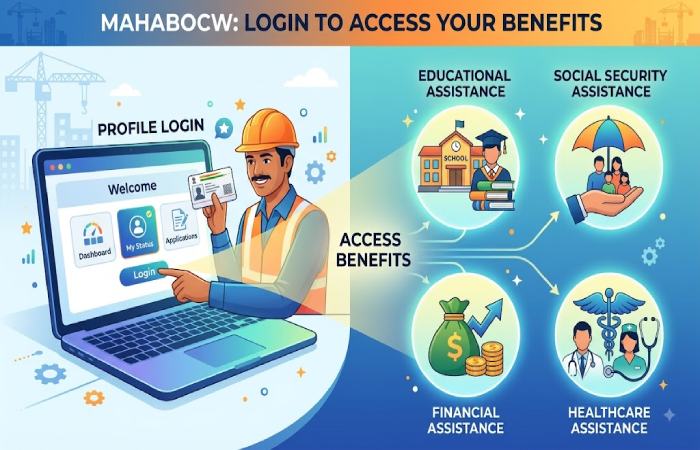
1. Check Registration Information
A registered worker can use the online system to work with information associated with their construction-worker registration.
If something is incorrect, use the Board’s designated registration-update service instead of creating a second registration unnecessarily.
2. Renew Registration
The Board’s help page states that registration is valid for one year and must be renewed annually. It also states that the renewal application requires a 90-day work certificate for the preceding year.
This makes renewal particularly important for workers who want to remain eligible for Board benefits.
3. Apply for Welfare Schemes
The Board states that registered construction workers with an active subscription can access its benefits.
The official help page categorizes benefits into:
- Educational assistance
- Social security assistance
- Financial assistance
- Healthcare assistance
The specific schemes available to a worker depend on the information recorded in the Board’s system and the requirements of the particular scheme.
4. Update Registration Details
The official homepage separately lists Update Your Construction Worker Registration.
This distinction matters. If your existing registration contains incorrect information, updating the existing record may be more appropriate than attempting to create a new worker account.
5. Manage Claims
The MAHABOCW website also provides an Apply Online for Claim service. Claims are connected with the welfare schemes for which a registered worker may be eligible.
Who Can Register as a Construction Worker?
Before trying to access the profile system, it helps to understand the registration requirements.
The Board’s official information states that a construction worker should be 18 to 60 years old and should have worked for more than 90 days during the previous 12 months.
The Board’s newer help page specifically identifies an Aadhaar card and a 90-day work certificate as documents required for construction-worker registration.
Common Registration Documents
| Document |
Why it may be required |
| Aadhaar card |
Identity verification |
| 90-day work certificate |
Evidence of construction work |
| Age proof |
Establishes eligibility |
| Residence proof |
Establishes Maharashtra residence/details |
| Identity documentation |
Supports worker verification |
| Photographs |
Registration documentation |
The Board’s downloadable forms page also provides reference forms for registration, renewal, 90-day work certificates, Aadhaar consent and self-declaration.
MAHABOCW Profile Login vs Registration
One of the most common sources of confusion is treating registration and login as the same process.
They are different.
| Registration |
Profile login |
| For creating a worker registration |
For accessing an existing profile |
| Requires eligibility and documents |
Requires authentication |
| Used before becoming a registered beneficiary |
Used after registration |
| Includes submission and verification |
Provides access to existing information/services |
| May require a 90-day work certificate |
Depends on existing registration credentials/details |
If you are already registered, starting another registration application simply because you cannot log in may create unnecessary complications.
What If You Cannot Log In?
If the mahabocw profile login page is not working, do not immediately assume that your registration has been cancelled.
Login problems can have several causes.
Incorrect Details
First verify that the information you are entering matches the information associated with your registration.
Check:
- Aadhaar-related information
- Registered mobile number
- Login credentials, if requested
- Spelling of names
- Numbers and dates
- Any OTP entered during authentication
Website or Server Problem
Government portals occasionally experience technical or maintenance-related problems.
If the page itself does not load, repeatedly refreshes, or produces a server error, try again later rather than repeatedly submitting information.
Browser Problem
You can also try basic browser troubleshooting:
- Refresh the page.
- Open the portal in a private/incognito window.
- Clear cached website data.
- Try another modern browser.
- Check your internet connection.
- Avoid using outdated bookmarked login URLs.
- Return through the official MAHABOCW homepage.
Registration May Need Renewal
A worker should also check whether their registration remains active.
The Board explicitly states that registration is valid for one year and requires annual renewal. It also states that only workers with active subscriptions can avail themselves of Board benefits.
This is a crucial distinction: being registered at some point in the past does not necessarily mean the registration is currently active.
What Documents Are Needed for Renewal?
According to the Board’s official help page, renewal requires a 90-day work certificate showing that the worker worked as a construction worker during the year preceding the application.
The Board’s downloads section also identifies a newer 90-day certificate for registration and renewal and provides reference forms for workers.
Before beginning renewal, it is therefore sensible to prepare the required documentation rather than starting the application without it.
How MAHABOCW Welfare Benefits Work
A common misconception is that logging into the portal automatically guarantees payment or approval of a benefit.
It does not.
The Board states that benefits are available to registered construction workers whose subscription is active. It also explains that the schemes a worker can apply for are determined by the details available in the system.
In practical terms, the process is closer to:
Registration → Active status → Eligibility for applicable scheme → Application → Document verification → Decision/payment
Therefore, a successful login should not be interpreted as approval for a particular welfare scheme.
MAHABOCW Login: Common Mistakes to Avoid
Mistake 1: Using a Third-Party Login Page
Search results may contain websites that reproduce MAHABOCW login instructions. These can be useful for general explanations, but the safest approach is to begin from the official Board website.
Mistake 2: Assuming Every Scheme Is Available to Every Worker
The Board states that schemes are offered based on worker details and the applicable scheme requirements.
Do not assume that another worker’s approved benefit automatically applies to you.
Mistake 3: Ignoring Registration Expiry
Because registration is valid for one year, an expired registration can affect access to benefits.
Mistake 4: Submitting Incorrect Documents
A work certificate or other document should accurately represent the worker’s circumstances. Incorrect or inconsistent information can cause verification problems.
Mistake 5: Sharing Login Information
Never give your password, OTP or other authentication information to an unknown person claiming to be able to “activate” your MAHABOCW account.
MAHABOCW Profile Login Troubleshooting Checklist
| Problem |
What to try |
| Login page won’t open |
Check connection and try again later |
| Incorrect login message |
Recheck registered information |
| OTP not received |
Check mobile network and wait before requesting another OTP |
| Profile information is wrong |
Use the registration-update service |
| Registration is inactive |
Check renewal requirements |
| Claim cannot be submitted |
Check whether you meet the scheme’s requirements |
| Portal behaves strangely |
Try another browser/private window |
| Still unable to resolve issue |
Contact official MAHABOCW support |
Official MAHABOCW Support
The Board currently publishes the following contact information on its website:
| Support channel |
Details |
| Toll-free helpdesk |
1800-8892-816 |
| Helpdesk hours |
10:00 AM–6:00 PM |
| Additional information |
7400012262 |
| Emergency number |
7400012263 |
| Phone |
022-2657-2631 / 022-2657-2632 |
| Email |
support@mahabocw.in |
| Office |
MMTC House, Bandra Kurla Complex, Mumbai |
These details are published by the Maharashtra Building and Other Construction Workers Welfare Board.
For account-specific problems, use the official contact channels rather than relying on unofficial agents or social-media messages.
Is MAHABOCW Profile Login the Same as the CESS Portal?
No.
MAHABOCW operates separate services for construction workers and for construction-welfare-cess-related activities.
The Board’s website separately identifies the MBOCWW Board CESS Portal, while the worker-facing section contains registration, claims, renewal, updates and profile login.
This distinction is important because a person searching for worker profile access should not accidentally enter the CESS portal.
MAHABOCW Profile Login: What Beginners Should Remember
For a beginner, the process can be simplified into five points:
- Start from the official MAHABOCW website.
- Select Construction Worker: Profile Login if you already have a registration.
- Enter the authentication information requested by the official portal.
- Check whether your registration remains active, especially if you want to apply for benefits.
- Use the Board’s official support channels if the portal or account continues to cause problems.
The Board’s website currently provides separate services for registration, renewal, claims, registration updates and profile login, so choosing the correct service is often the first step toward resolving an issue.
Frequently Asked Questions
What is MAHABOCW profile login used for?
It is the online profile-access facility for registered construction workers associated with the Maharashtra Building and Other Construction Workers Welfare Board. The official website lists it as a dedicated construction-worker service.
Can a new worker directly use the profile login?
Generally, a worker who has not yet completed registration should first use the Board’s registration service. Profile login is intended for accessing an existing worker profile.
How long is MAHABOCW registration valid?
The Board’s current help page states that registration is valid for one year and must be renewed annually.
Is a 90-day work certificate required?
The Board states that a 90-day work certificate is required for registration and renewal.
Can all registered workers receive the same benefits?
No. The Board explains that welfare schemes depend on the worker’s recorded details and the requirements of the particular scheme.
What should I do if my profile details are incorrect?
Use the official Update Your Construction Worker Registration service listed on the MAHABOCW website rather than creating a duplicate registration.
Where can I get help with a login problem?
The Board currently lists its toll-free helpdesk as 1800-8892-816, available from 10:00 AM to 6:00 PM, along with additional phone and email support.
Final Takeaway
The safest way to handle mahabocw profile login is to treat it as one part of the broader MAHABOCW worker-services system rather than as a standalone login page. Registered workers may need the profile facility for managing information and accessing related services, while registration, renewal, claims and updates are provided as separate functions.
The most important practical issue is maintaining an active registration. The Board says registration is valid for one year and that active registration is required to access its benefits. Keeping the required work certificate and other documentation ready can make renewal and subsequent welfare applications much easier.
For account or portal problems, always verify information through the official MAHABOCW website and its published support channels. Avoid unofficial websites that ask for sensitive personal information or promise guaranteed approval of welfare benefits.